Claude Design + Lovable
Translate the starting documents into exploratory product and visual directions.



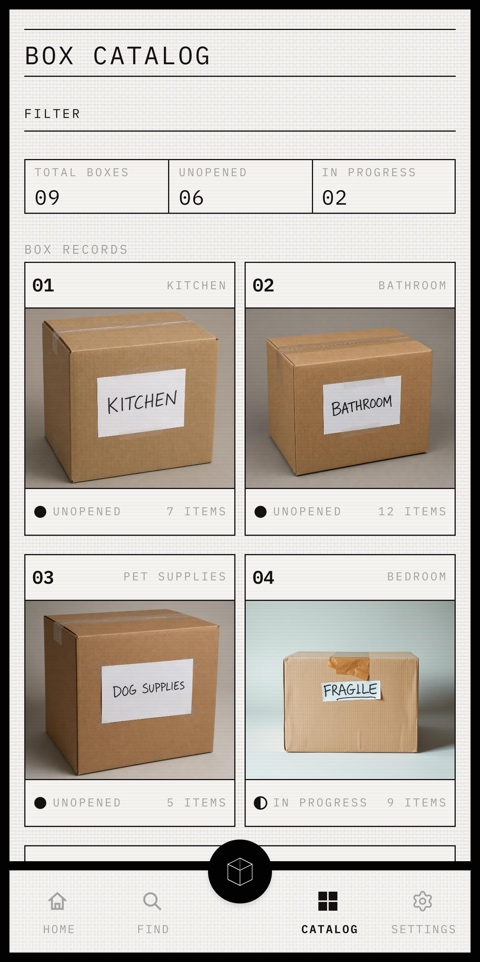
Box Buddy began during my own move, when finding everyday items meant reopening multiple boxes. I explored whether an AI-assisted inventory could make each box searchable without adding more work to packing.
AI product design
Moving inventory
Solo
Vibe Coding
1 week
Claude
Codex
Lovable
Figma
GitHub
Box Buddy 源于我自己的搬家经历。当时,为了找到日常用品,我不得不反复打开多个箱子。我开始探索,能否通过 AI 辅助库存让每个箱子都可搜索,同时不增加打包工作量。
AI 产品设计
搬家库存
独立项目
Vibe Coding
1 周
Claude
Codex
Lovable
Figma
GitHub
Make every moving box searchable without turning packing into another inventory task.
AI-generated screens changed in structure, state, and visual language across iterations. My challenge was to turn that output into a reliable product without losing a distinct point of view.
I used AI only where it reduced manual work: detecting items from photos while users reviewed and confirmed the record.
Roles / AI-Assisted Workflow
Tools I chose for this project.
Translate the starting documents into exploratory product and visual directions.
Built and verified the responsive New Box and search flows, then pushed each working iteration to GitHub.
Early Stage / Quick Action Flow
Before writing the first prompt, I broke the real moving experience into a sequence of user actions.

Early Stage / Box Inventory & Retrieval
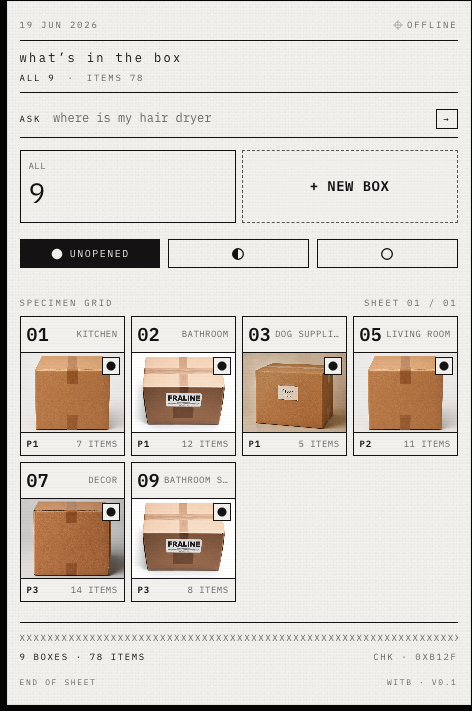
I translated the action flow into an MVP, data model, and build order. The first prototype tested whether box records could work as a browsable catalog and be retrieved by item name or box number.
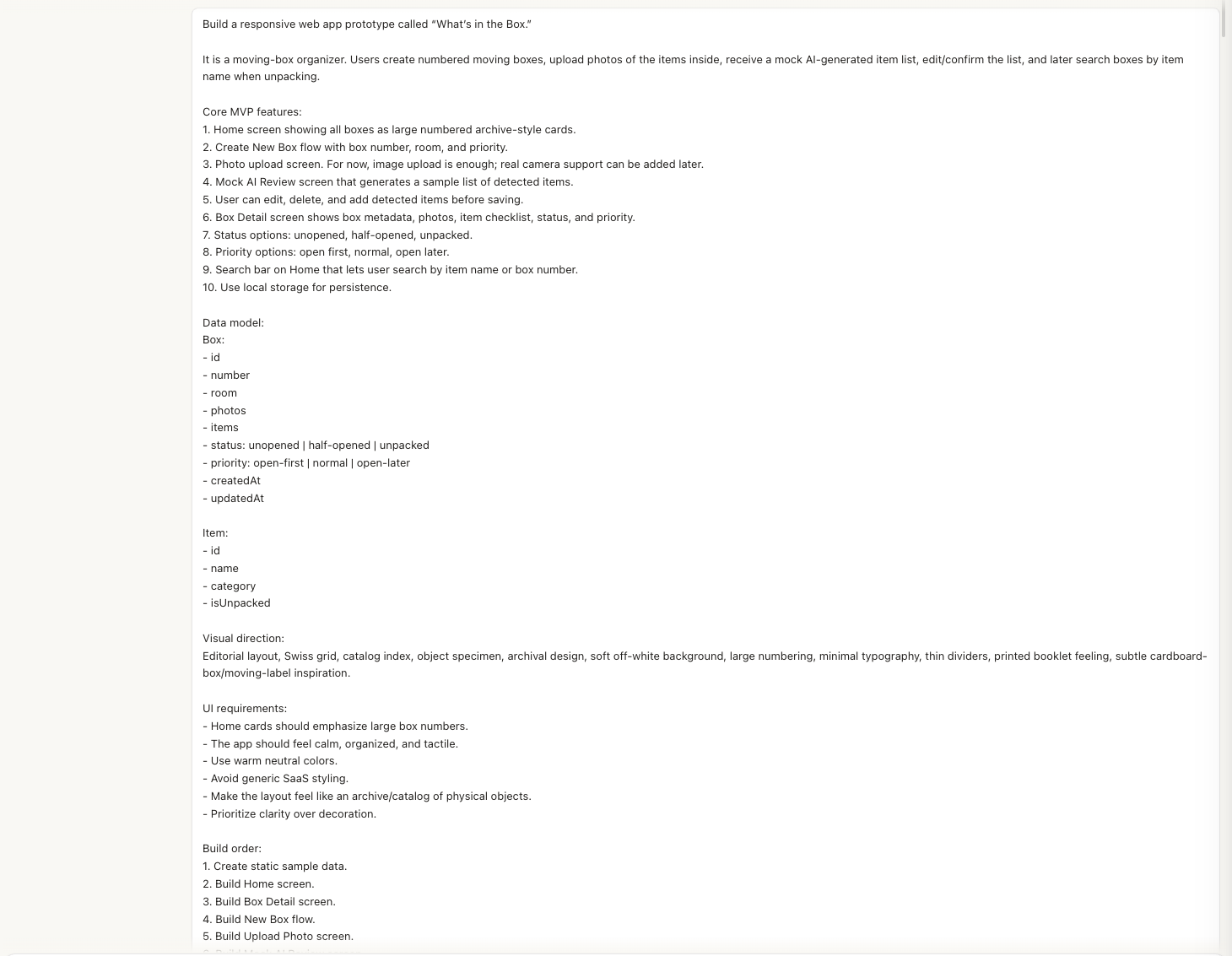
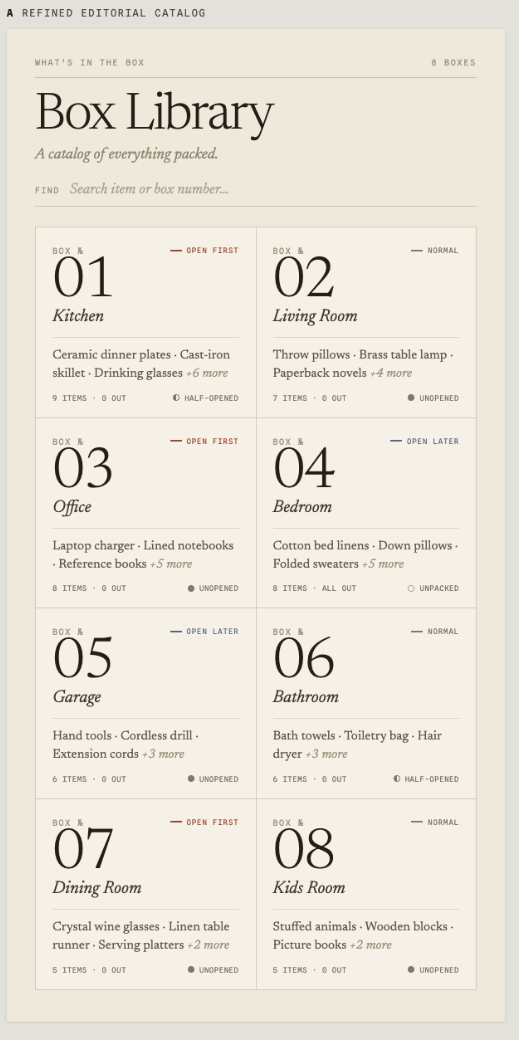
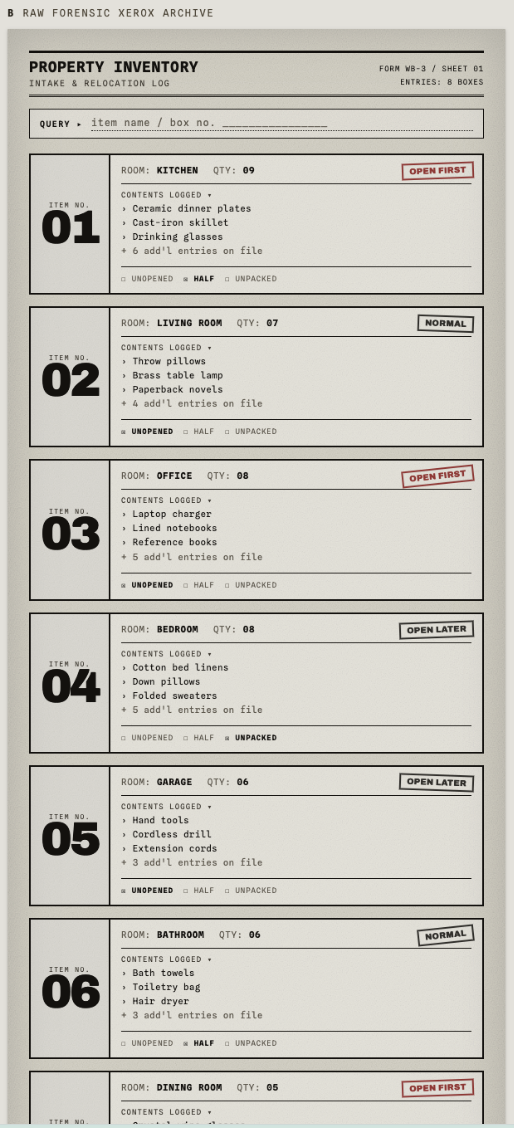
The New Box Flow was still incomplete, but the prototype surfaced one useful idea: Priority States.
Early Stage / Key Learning
The first prototype established a basic box collection and an early Create Box concept, but it was not complete. In the second part, I built the retrieval flow and tested it against prepared sample records.
That test exposed the gap: retrieval only works when detailed records already exist. The early Create Box path still required too much manual entry, recreating the frustrating workload the product was meant to remove.
The visual comparison revealed a similar problem. The editorial direction looked immediately like Claude output, while the forensic archive felt more specific. I chose the second direction as a foundation, knowing it still needed refinement.
The next iterations therefore had two jobs: let AI create richer records with less manual effort, and develop a sufficiently specific visual language.
How could AI do more of the work without making either the user or the product disappear?
Typed inventory search and the catalog made prepared box records easy to retrieve.
The early Create Box concept could not produce detailed records without too much manual work.
The editorial direction felt generated. The forensic archive became the foundation, but still needed refinement.
Add voice retrieval, priority states, and a lower effort New Box Flow.
Middle Stage / New Box Flow
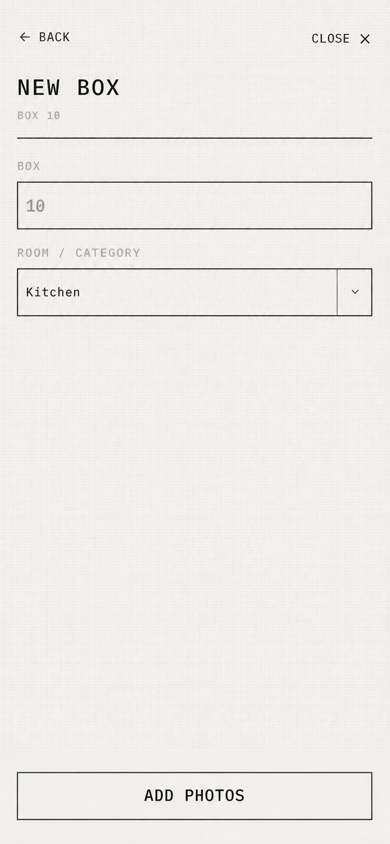
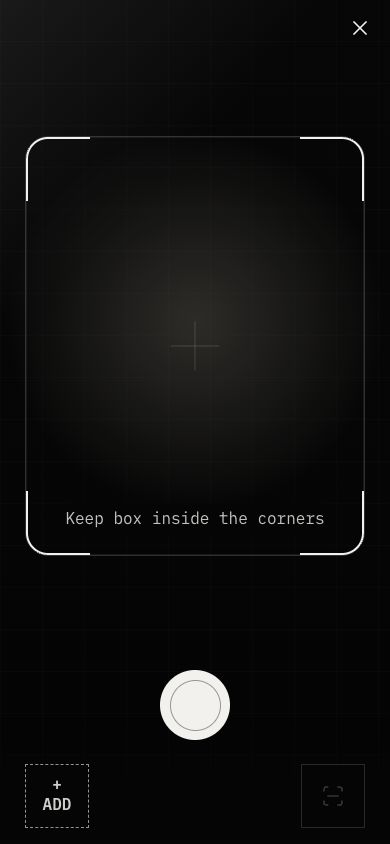
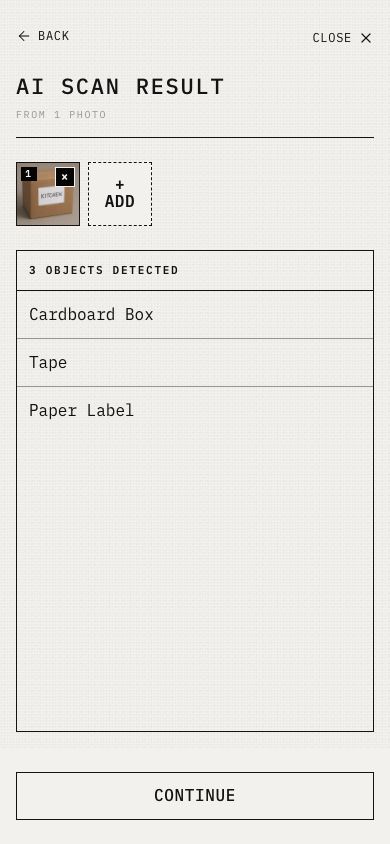
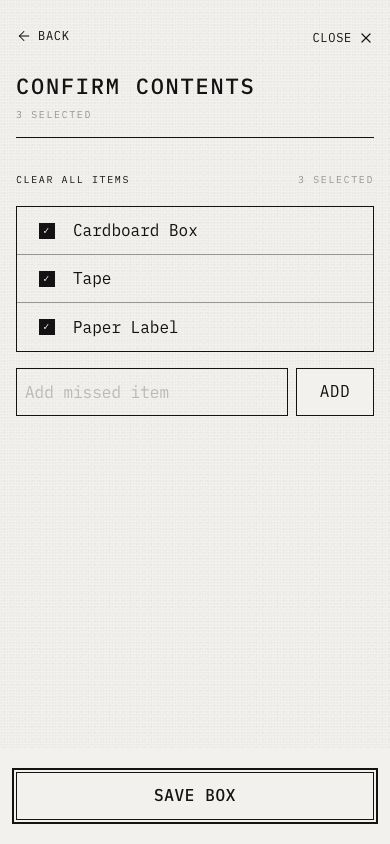
I refined the New Box Flow to organize the box number and room before the user added photos of the contents.
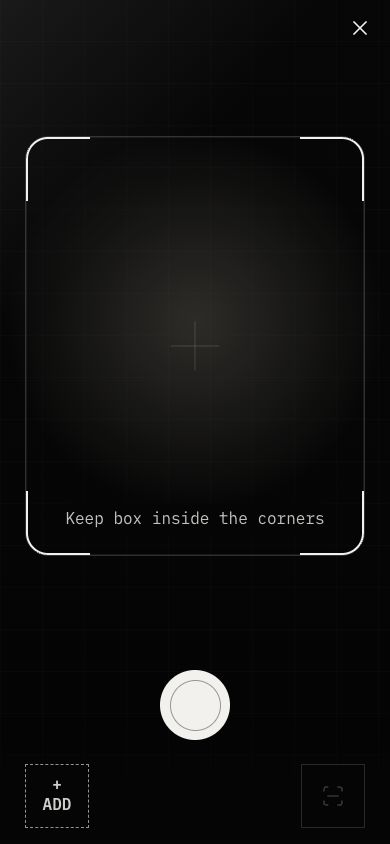
The scan API sends the selected photos to a vision model and requests a structured list of concrete object names. The list remains a draft. The user can edit, remove, add, and confirm items before the system saves a searchable box record.
Middle Stage
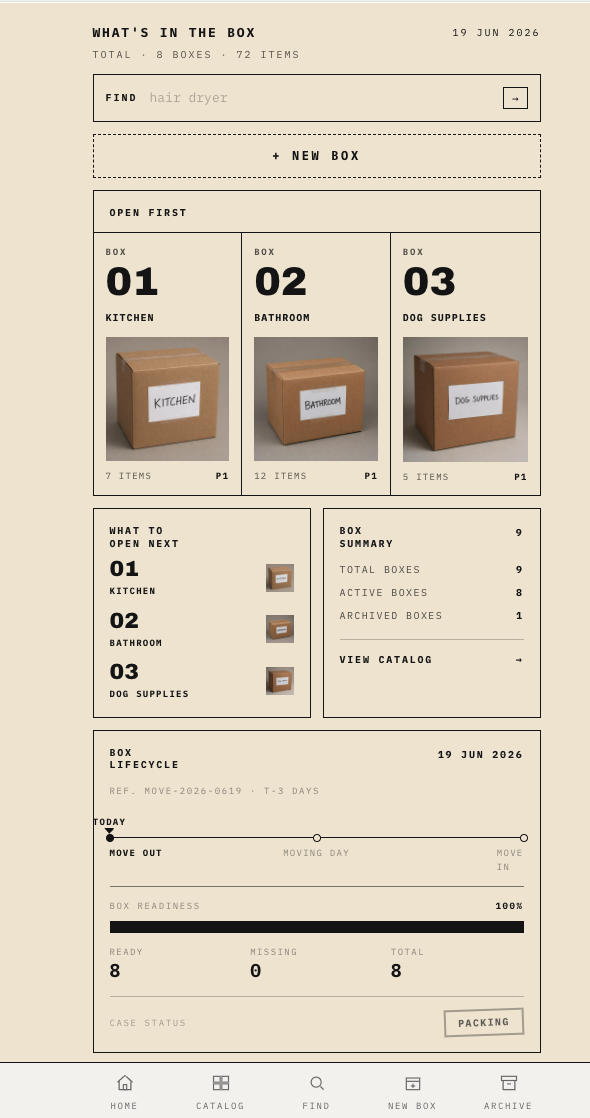
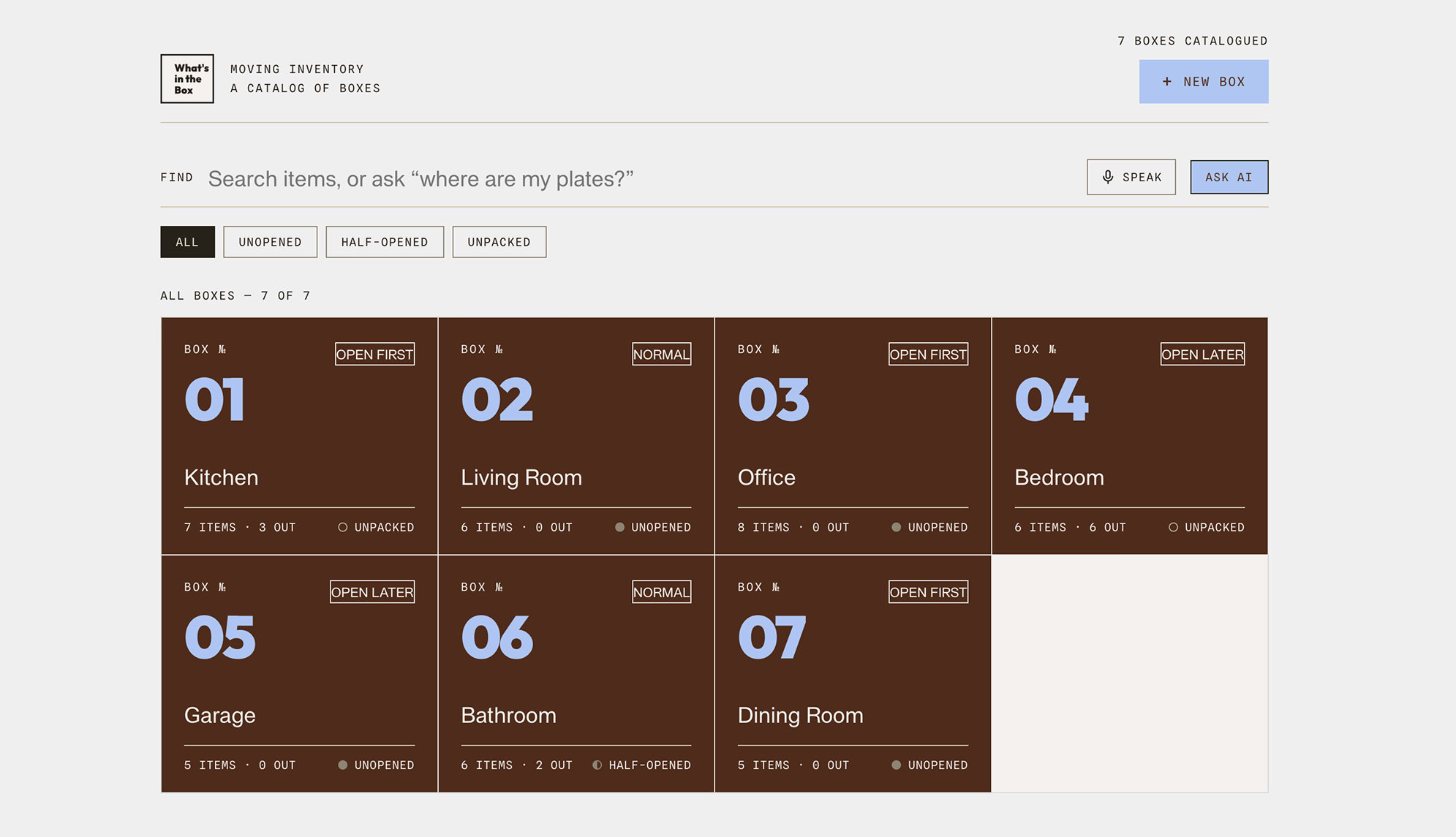
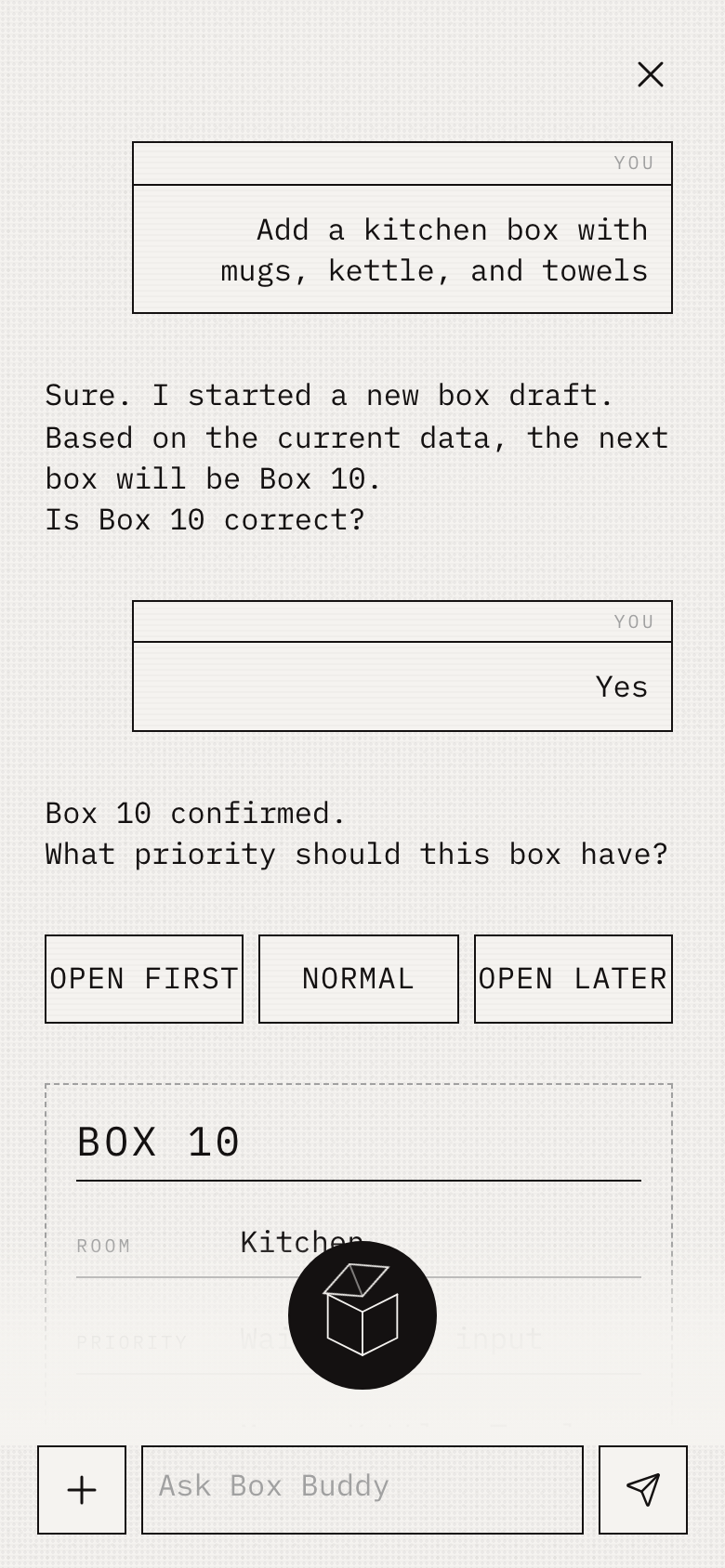
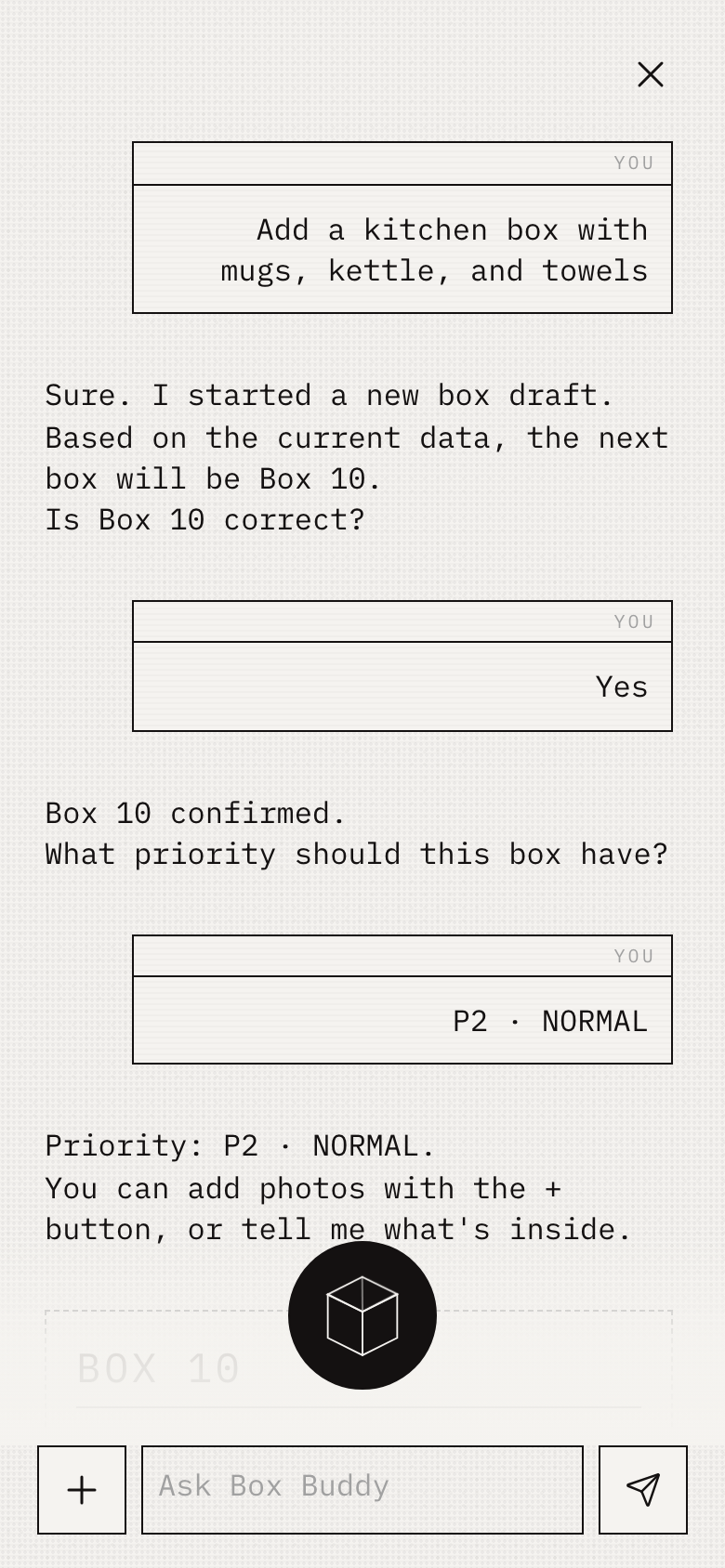
To reduce the user’s workload, I extended the typed inventory query into microphone search. I kept the AI-proposed Priority States and refined them into Open First, Normal, and Open Later, alongside status filters for unopened, partially unpacked, and unpacked boxes.
Middle Stage / AI Role
I focused AI on two tasks where it could reduce effort without replacing user judgment.
| Task | Handled by |
|---|---|
| Detecting objects in photos | AI |
| Answering “Where is this item?” | AI + retrieval |
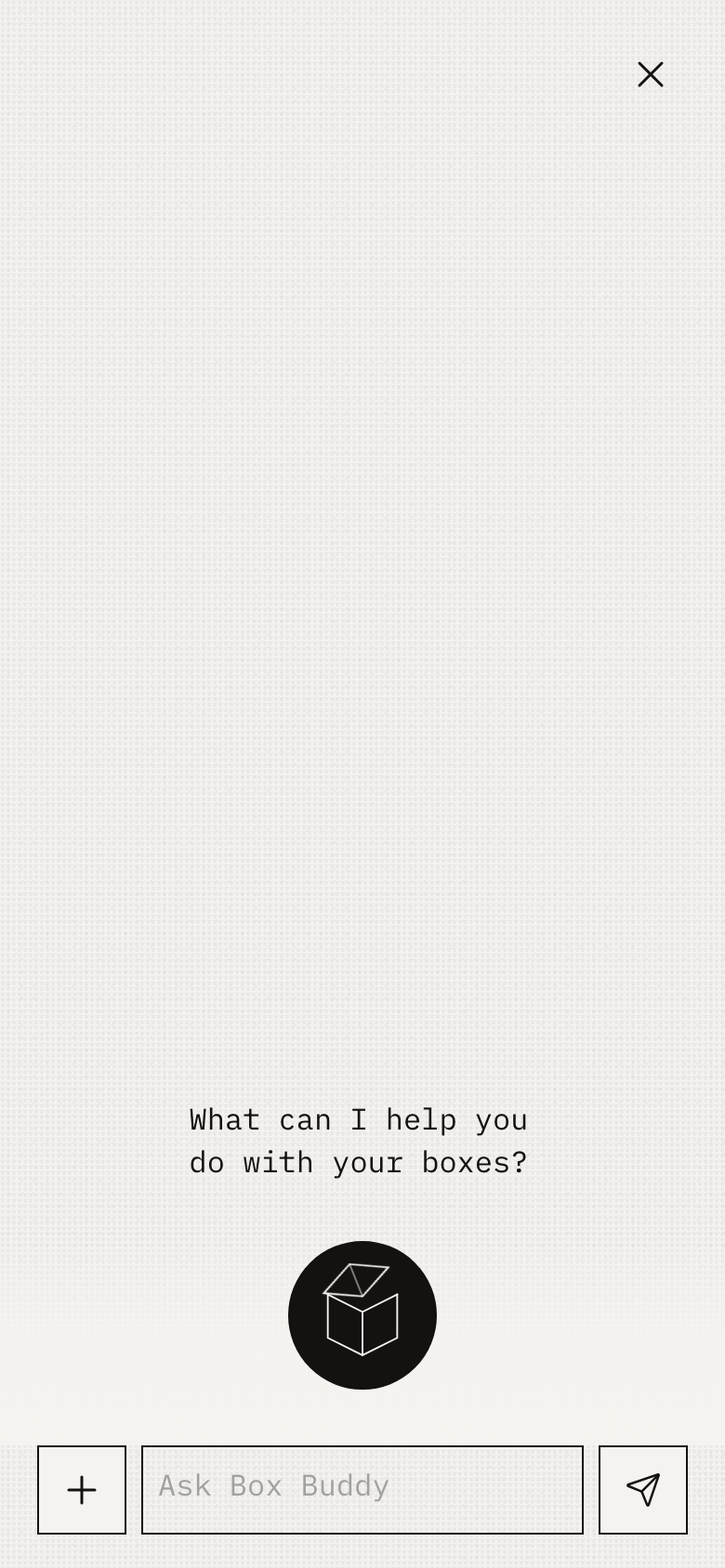
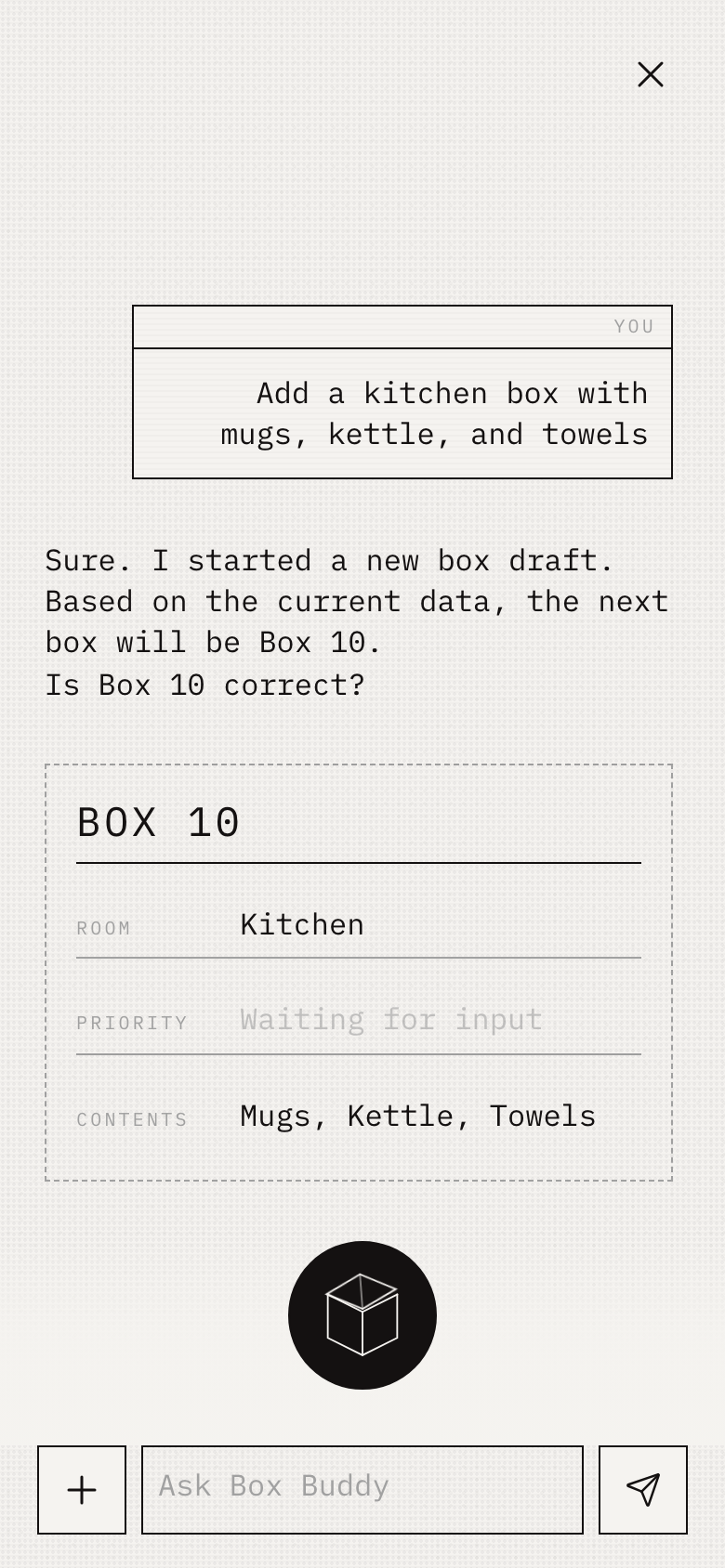
AI Cube supports two ways to create a record. The user can describe the contents in natural language and confirm the draft, or start a request, add photos, and confirm the detected items.
Middle Stage / Box Lifecycle
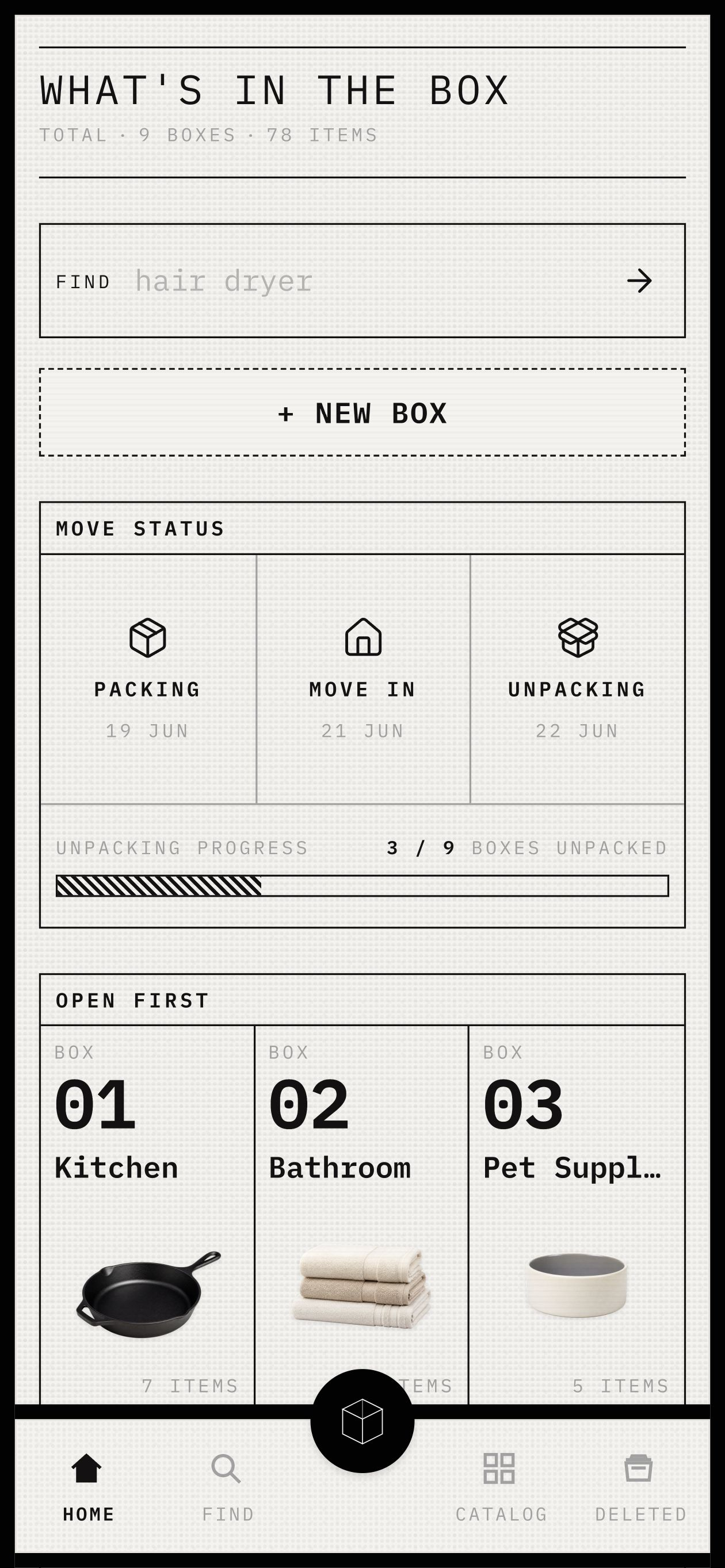
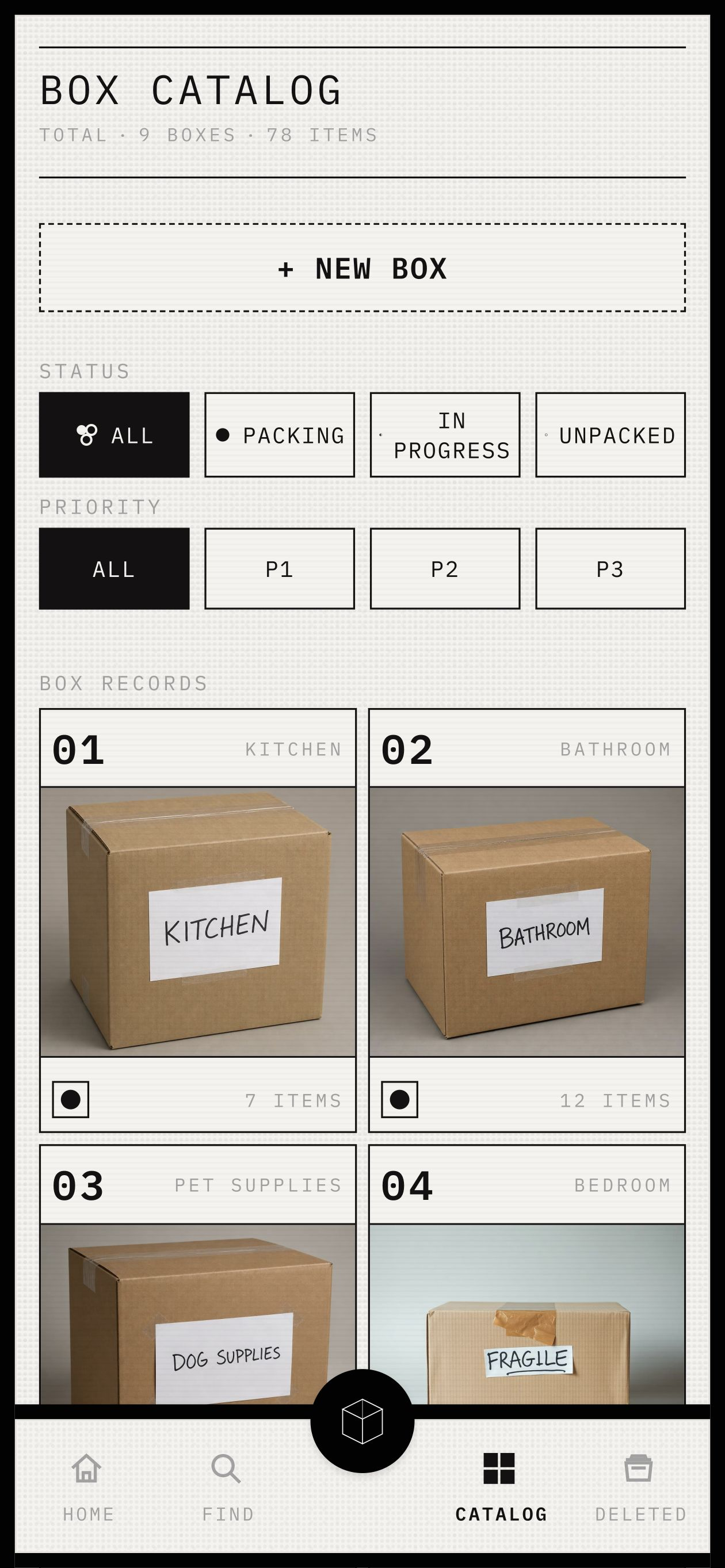
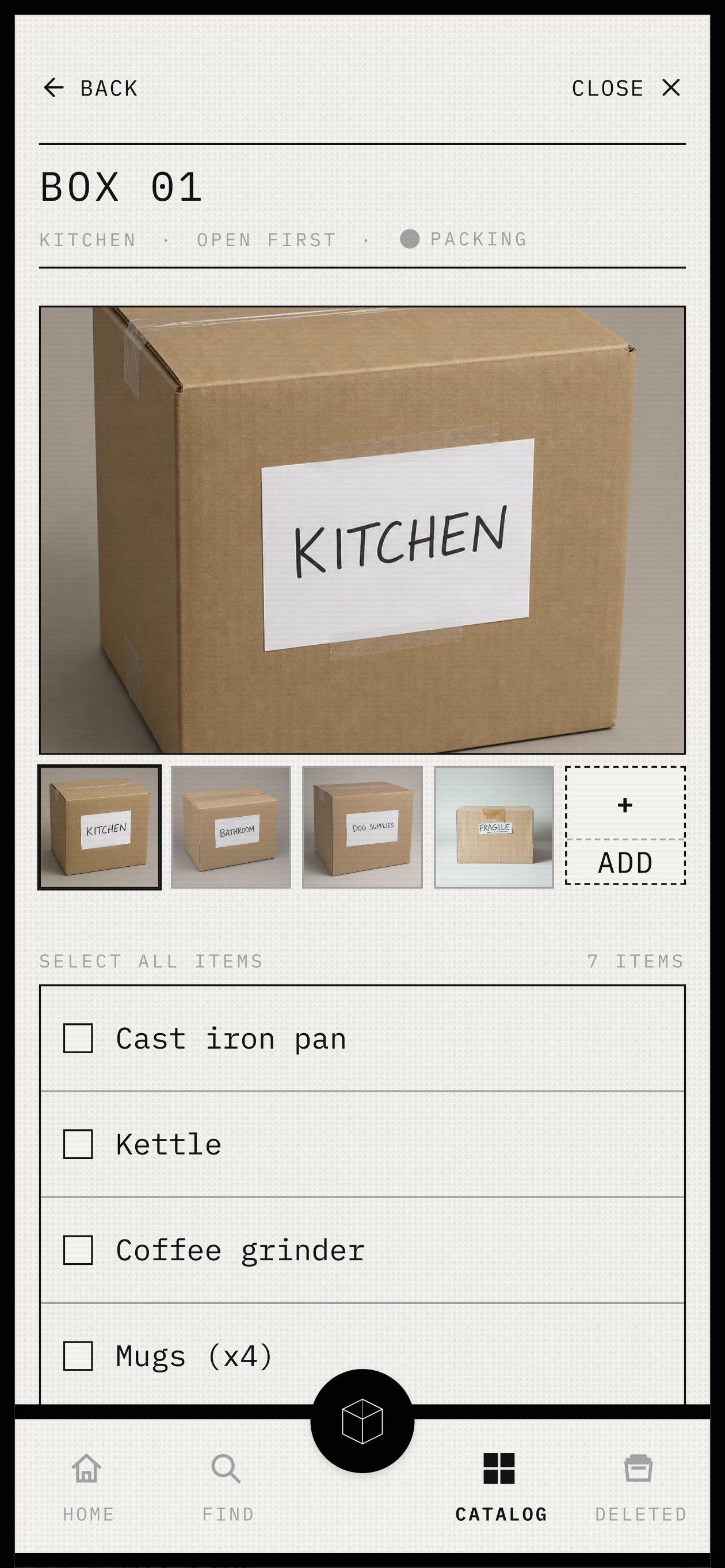
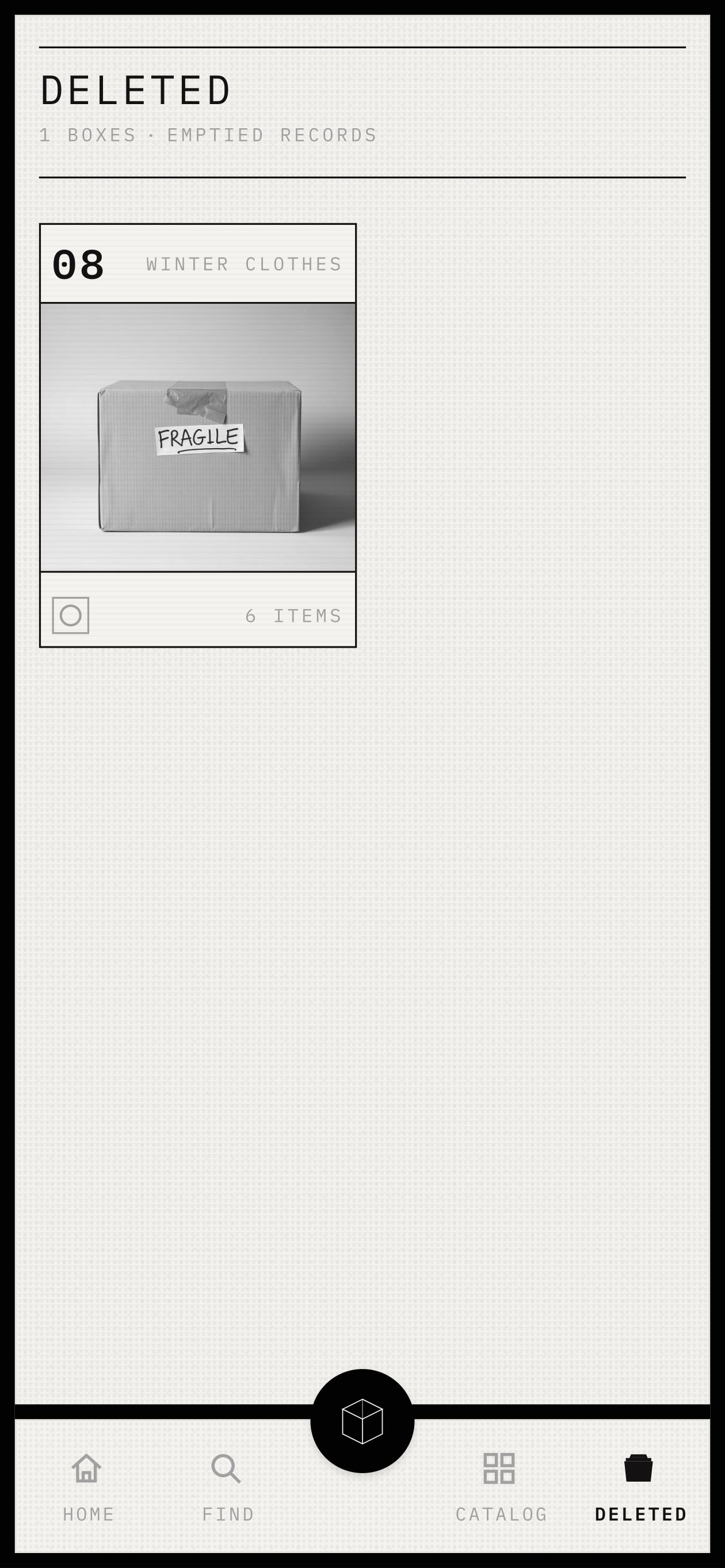
Once capture and retrieval worked together, the same confirmed Box Record could support packing, moving day, unpacking, and archiving. Rather than becoming a moving checklist, Box Buddy centers on the box as a physical object. Each record brings together its number, room, priority, photos, AI-detected and user-confirmed items, unpacking progress, and Active or Archived status.
Late Stage / Connected Prototype
The live mobile prototype supports creation, confirmation, retrieval, and progress tracking through a single Box Record. I reviewed each iteration against product behavior, visual rules, mobile use, and accessibility.
Late Stage / Design System
As generated work spread across more screens, some elements began to drift. I documented the system in DESIGN.md and used it to review and adjust each version.
I first tried translating those rules into Figma, but it consumed too many AI credits without reaching the fidelity I needed, so I built the live showcase instead.
I defined a token architecture for primitive and semantic colors, typography, and spacing, then mapped it into Tailwind. I also established a reusable component structure with DocumentHeader, DocumentList, ChecklistRow, StatusGlyph, StripedProgress, BottomNav, and AI Cube, organized under one control taxonomy.

Late Stage / Testing and Iteration
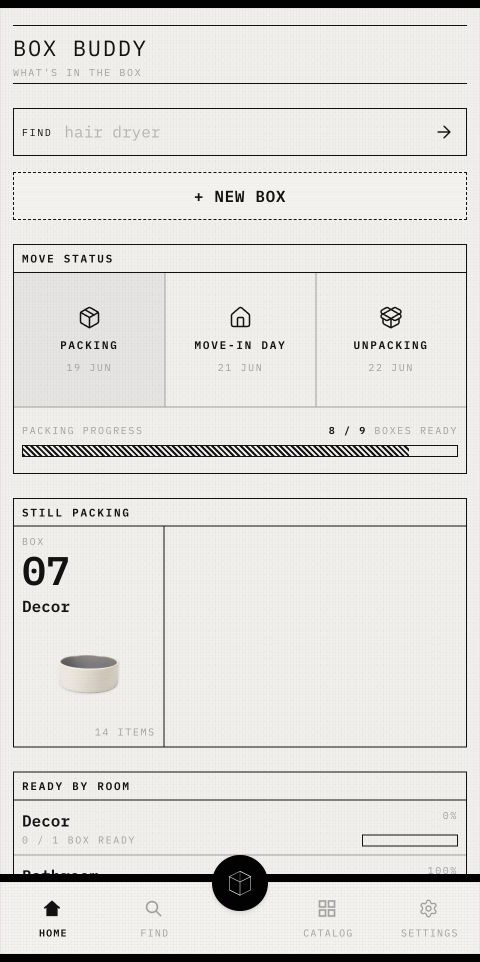
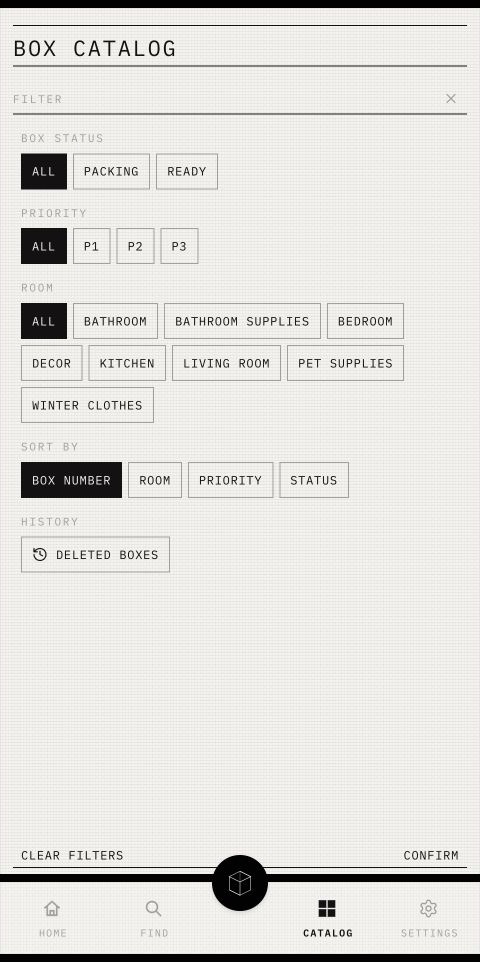
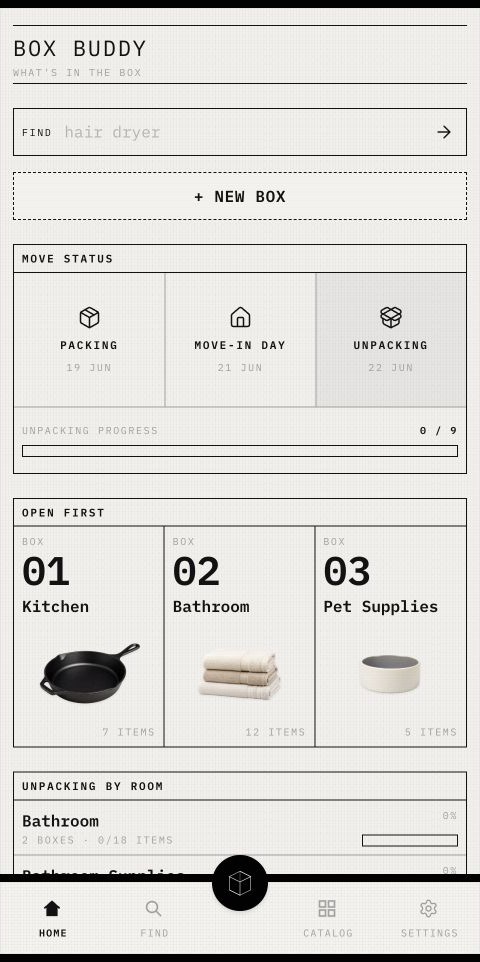
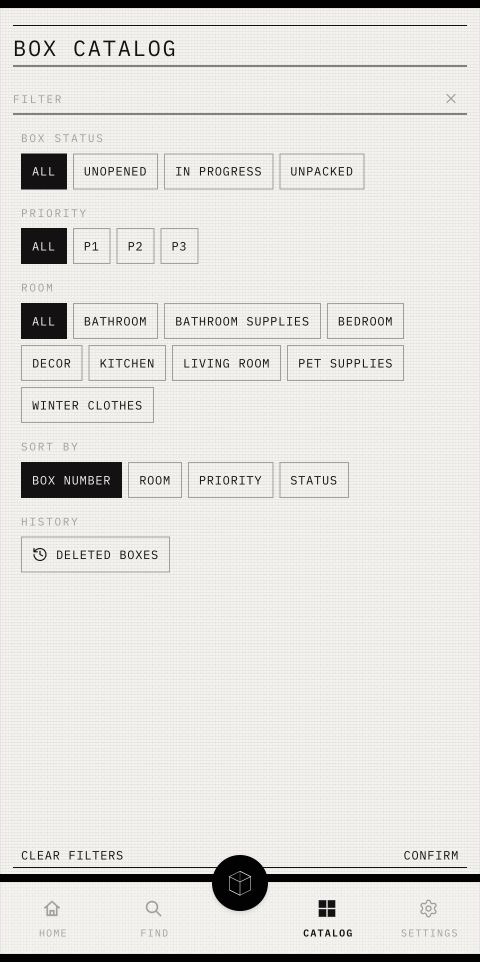
The product and visual system were working, but the information hierarchy needed refinement. I created a separate branch to test a clearer structure without changing the original app’s visual language.
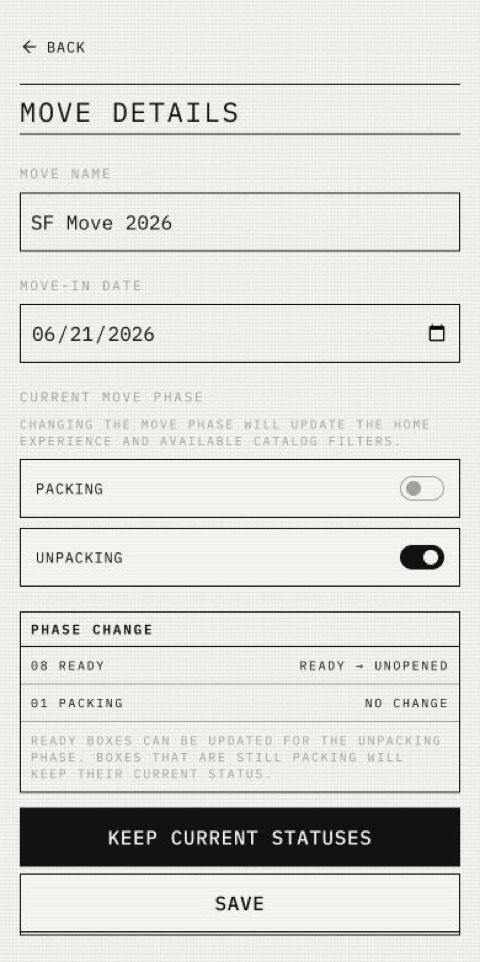
This branch tested whether Box Buddy could improve its information architecture without changing the original app or visual system. Home manages phase tasks, Catalog manages box records, Find handles item lookup, and Settings controls global settings. Move Phase is treated as a global state and clearly separated from individual Box Status, creating a more stable structure with lower cognitive load.
Late Stage / Reflection
Box Buddy was my first coding project. AI-assisted coding helped me move from designing interfaces to shaping product behavior, while organizing reusable components, reducing repetitive code, and exploring multiple interaction directions. This shortened the path from concept to a working prototype and gave me more opportunities to test, compare, and refine decisions. But it could not replace design judgment; instead, I learned that greater speed makes that judgment even more important.